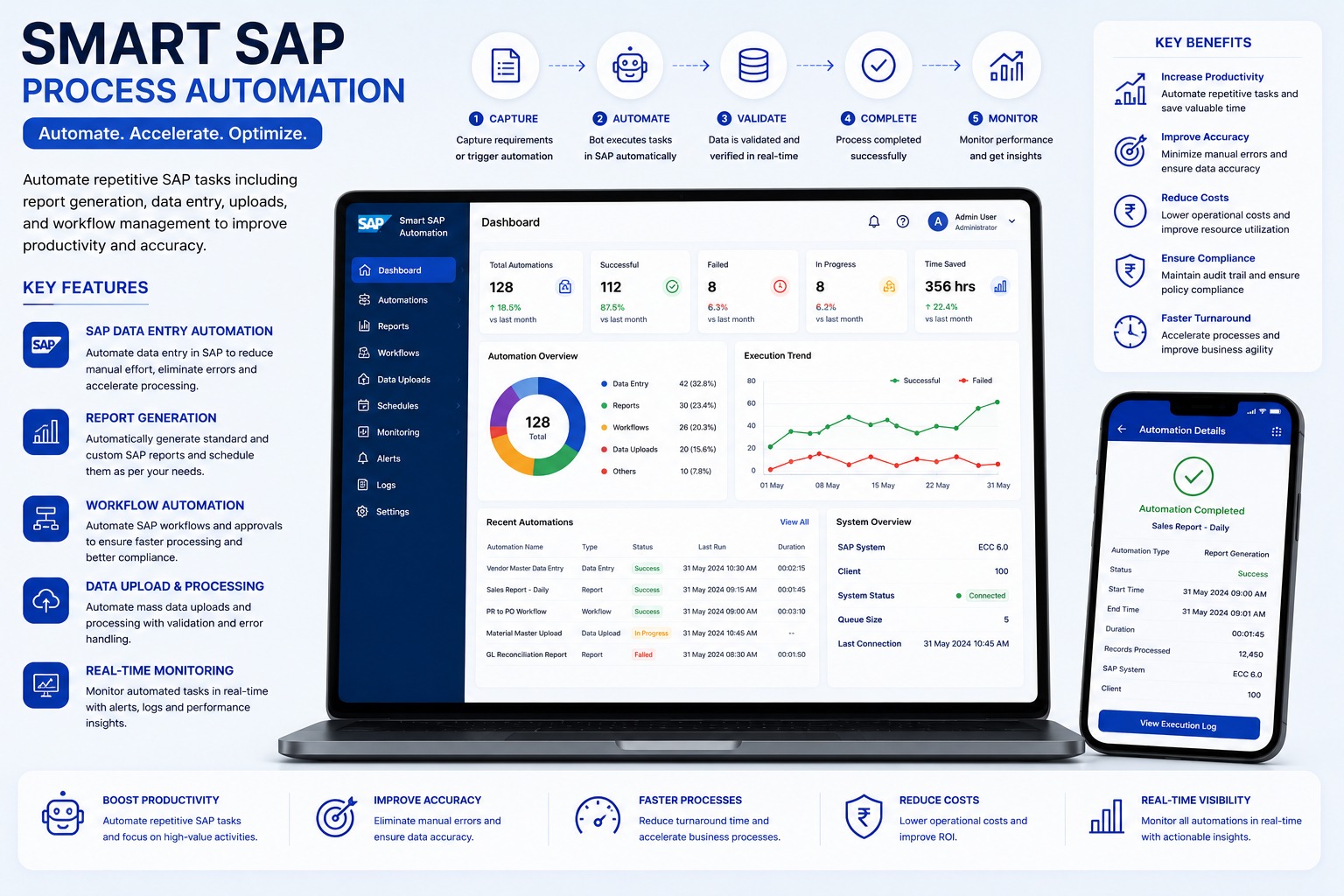
Many SAP teams spend hours on repeated entries, uploads, approvals, report checks, and status follow-ups. Smart SAP Process Automation converts those repeated procedures into controlled workflows.
Where It Helps
The strongest use cases are high-volume, rule-based SAP tasks where users follow the same steps every day. Examples include master data updates, transaction entry, Excel uploads, report generation, approval routing, and validation checks.
Validation Before Posting
Good SAP automation does not blindly enter data. It validates mandatory fields, formats, duplicate records, master-data values, business rules, and SAP responses before the transaction is completed.
Core Capabilities
- Data capture from Excel, email, folders, APIs, and apps
- Bulk upload with row-wise success and failure reports
- Retry and resume support for failed steps
- Approval reminders and pending status tracking
- Audit logs with user, time, record, and SAP response
Why Managers Like It
Dashboards show successful, failed, pending, scheduled, and in-progress automations. This improves visibility and reduces dependency on manual follow-ups or one experienced SAP user.
Explore the Smart SAP Process Automation
Streamline high-volume SAP data entry, bulk Excel uploads, master data creation, approvals, and workflow monitoring.
Smart SAP Process Automation FAQs: Features, Workflows & Best Practices
Comprehensive answers to frequently asked technical, operational, and implementation questions about smart sap process automation in India.
What is Smart SAP Process Automation and what enterprise business operations does it automate?
Smart SAP Process Automation utilizes intelligent bots and workflow automation to perform repetitive transactional workflows inside SAP ECC and S/4HANA. It automates high-volume data entry, bulk master data creation, journal voucher postings, purchase order updates, customer payment entries, and approval workflows.
How do automated bots eliminate repetitive manual data entry into SAP GUI transactions?
Software bots interact with SAP GUI interfaces or background APIs just like a human operator—navigating menus, entering values into transaction fields, selecting checkboxes, pressing keyboard shortcuts, and saving records at superhuman speeds without typing errors.
Can the automation execute bulk Excel spreadsheet uploads into SAP without creating custom BDC programs?
Yes. The automation reads structured Excel sheets, applies pre-posting business validations, maps fields to corresponding SAP transaction screens, and posts transactions record-by-record, capturing generated SAP document numbers for each row.
What validation checks and business rules are executed before posting transactions into SAP?
Before posting to SAP, the bot verifies mandatory fields, checks for duplicate invoice or document numbers, validates cost center and GL code validity, ensures debit/credit balance equality, and flags format discrepancies.
How does the system manage errors, SAP popup warnings, and locked record exceptions during execution?
When an SAP exception occurs (such as a blocked master record or invalid tax code), the bot isolates the failed transaction, logs the exact SAP status bar error message, and continues processing remaining records without halting the entire batch.
Does Smart SAP Process Automation require custom ABAP coding or changes to core SAP configuration?
No. The solution works on top of existing SAP authorization roles via standard SAP GUI scripting, RFC, or web interfaces, requiring no invasive ABAP enhancements, core modifications, or expensive SAP transport deployments.
How does the system preserve enterprise SAP security compliance and user authorization limits?
The automation adheres strictly to SAP role-based authorizations (PFCG). Bots operate under dedicated service IDs with audited privileges, ensuring that segregation of duties (SoD) and internal audit controls remain fully intact.
Can automated SAP workflows trigger manager approvals via web portals or email before posting?
Yes. Workflows can be designed with human-in-the-loop (HITL) checkpoints. When high-value invoices or master data modifications are queued, the system sends an email notification with an approval link before final posting into SAP.
Which enterprise departments (Finance, Procurement, HR, Supply Chain) realize the greatest productivity gains?
Finance teams gain substantial savings in vendor invoice posting (FB60/MIRO) and bank reconciliations; Procurement teams automate purchase orders (ME21N) and vendor master data; Supply Chain teams automate goods receipts (MIGO) and sales order processing (VA01).
How does the SAP automation scale as transaction volumes expand across multiple enterprise entities?
The automation architecture is modular and horizontally scalable. Additional bot instances or parallel execution threads can be activated during month-end or fiscal year-end peak loads to handle massive transaction volumes seamlessly.
Have more questions about implementing Smart SAP Process Automation for your organization?
Explore Official Smart SAP Process Automation Page -> Speak With Our Solution Experts