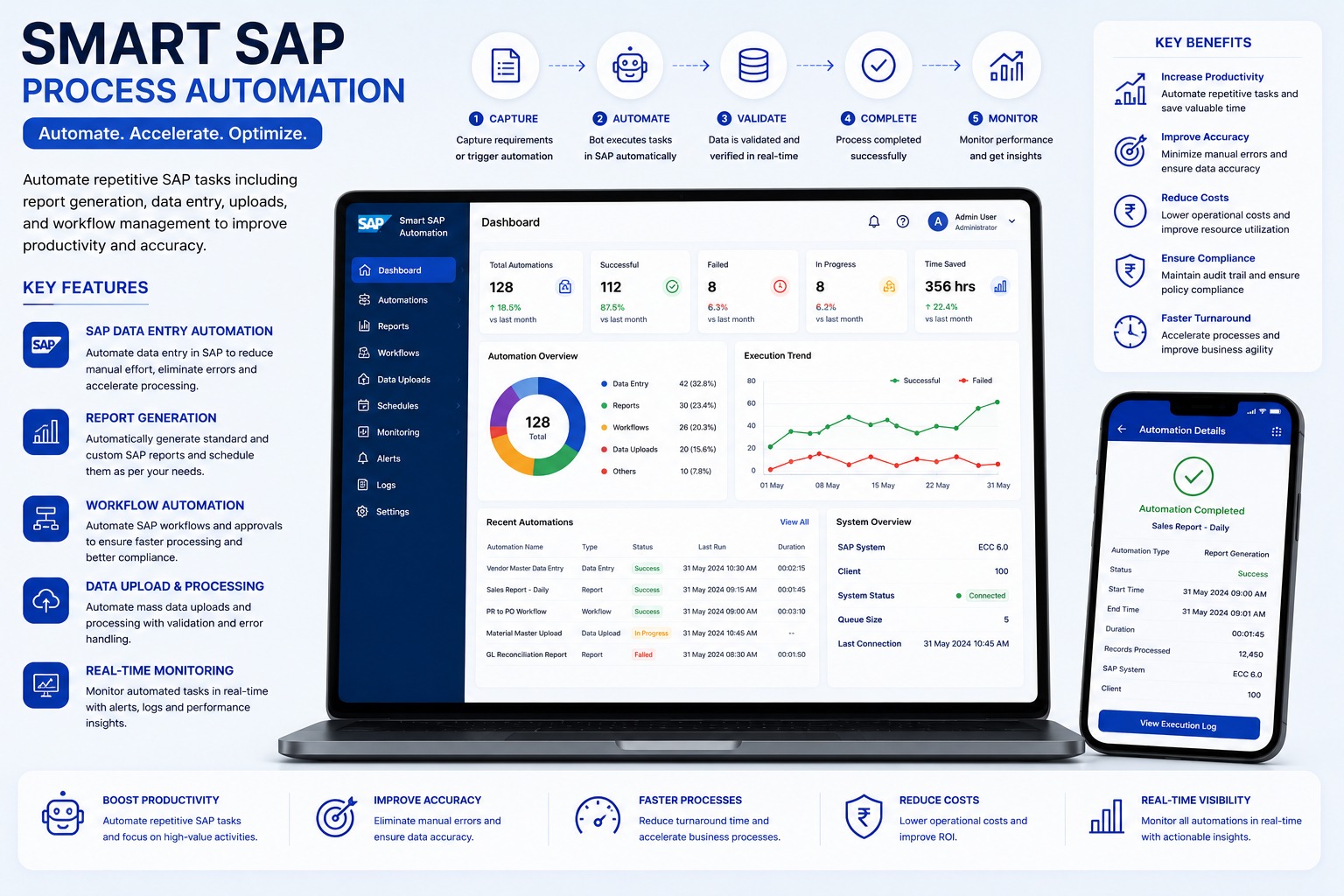
SAP reports are important for finance, sales, purchase, inventory, and management teams, but preparing the same reports every day or month consumes valuable time. SAP report generation automation turns recurring reporting steps into a controlled workflow.
Why Teams Automate SAP Reports
Manual reporting usually involves logging into SAP, selecting transaction codes, entering filters, waiting for output, exporting files, formatting Excel, saving files, and emailing stakeholders. Automation can perform these repetitive steps on schedule and maintain execution logs.
How The Workflow Works
The automation opens the required SAP transaction or report, applies approved filters or variants, validates the output, exports the file, names it correctly, and stores or emails it to the right users.
Common Automation Controls
- Scheduled daily, weekly, and monthly runs
- Company code, plant, branch, and date filters
- Excel, CSV, or PDF export
- Email and shared-folder delivery
- Run status, error logs, and retry support
Business Impact
Automated reporting reduces missed deadlines, manual formatting errors, dependency on one SAP user, and follow-up work. Managers receive reports on time, while teams can focus on analysis instead of repeated extraction.
Best Fit Processes
SAP report generation automation works well for MIS reports, stock reports, vendor reports, sales reports, purchase reports, ageing reports, reconciliation files, and month-end reporting packs.
Explore the SAP Report Generation Automation
Automate repetitive SAP reporting, background extraction, Excel formatting, validation, and multi-stakeholder distribution.
SAP Report Generation Automation FAQs: Features, Workflows & Best Practices
Comprehensive answers to frequently asked technical, operational, and implementation questions about sap report generation automation in India.
What is SAP Report Generation Automation and how does it save enterprise reporting hours?
SAP Report Generation Automation is an RPA and workflow automation solution that automatically logs into SAP systems (ECC or S/4HANA), executes scheduled transaction codes (T-codes) or custom ABAP reports, applies parameterized filters, exports data, formats Excel dashboards, and delivers reports to stakeholders without manual effort.
Which standard and custom SAP T-codes and modules (FI, CO, MM, SD, PP) can be automated?
Virtually any SAP reporting T-code can be automated—including Financial accounting (FBL1N, FBL3N, FBL5N, FS10N), Material Management (MB52, MB5B, ME2N), Sales and Distribution (VA05, VF05), Controlling (KOB1), and custom Z-reports.
Can the SAP automation run in background mode without requiring user manual login?
Yes. The automated workflow executes on an unattended schedule (daily, weekly, month-end, or ad-hoc trigger) using encrypted SAP service credentials, eliminating the need for finance or MIS executives to log in early in the morning.
Can the automated report run dynamically across multiple company codes, plants, and profit centers?
Yes. The automation uses dynamic configuration files to run loop iterations across multiple company codes, business plants, storage locations, or profit centers, generating branch-specific or consolidated master reports.
How are extracted SAP datasets formatted and distributed to corporate decision makers?
Raw SAP table extracts are automatically parsed, cleaned, formatted into corporate-branded Excel workbooks with pivot tables and charts, converted to password-protected PDFs if needed, and distributed via scheduled emails or uploaded to secure cloud drives (SharePoint, OneDrive).
Does SAP report automation modify core ERP database tables or compromise system performance?
No. The automation only performs read-only data extraction using standard SAP GUI scripting, RFCs, or read-only BAPIs, strictly adhering to SAP authorizations without creating database locking or performance degradation.
How does the automated workflow handle SAP network timeouts, system popups, and maintenance windows?
The bot includes robust exception handling and auto-retry algorithms. If an unexpected SAP modal dialog, GUI warning, network interruption, or locked session is encountered, the bot logs the incident, captures diagnostic screenshots, and notifies administrators.
Can the automation consolidate and cross-reference data from multiple SAP T-codes into one report?
Yes. The automation can sequentially run multiple interrelated T-codes (e.g., pulling open purchase orders from ME2N and matching them with open vendor line items from FBL1N), performing automated VLOOKUPs and reconciliation before publishing.
How does automated SAP reporting ensure enterprise data security, user audit trails, and compliance?
All automated runs execute under encrypted credential management (such as Windows Credential Locker or CyberArk). Complete execution logs, report timestamps, record counts, and delivery confirmations are recorded for internal audit compliance.
What is the typical deployment timeline and operational ROI of automating daily SAP MIS reports?
Standard SAP report automation workflows can be configured, tested, and deployed in production within 1 to 2 weeks, typically saving 2 to 4 hours per day per department and eliminating human copy-paste errors.
Have more questions about implementing SAP Report Generation Automation for your organization?
Explore Official SAP Report Generation Automation Page -> Speak With Our Solution Experts