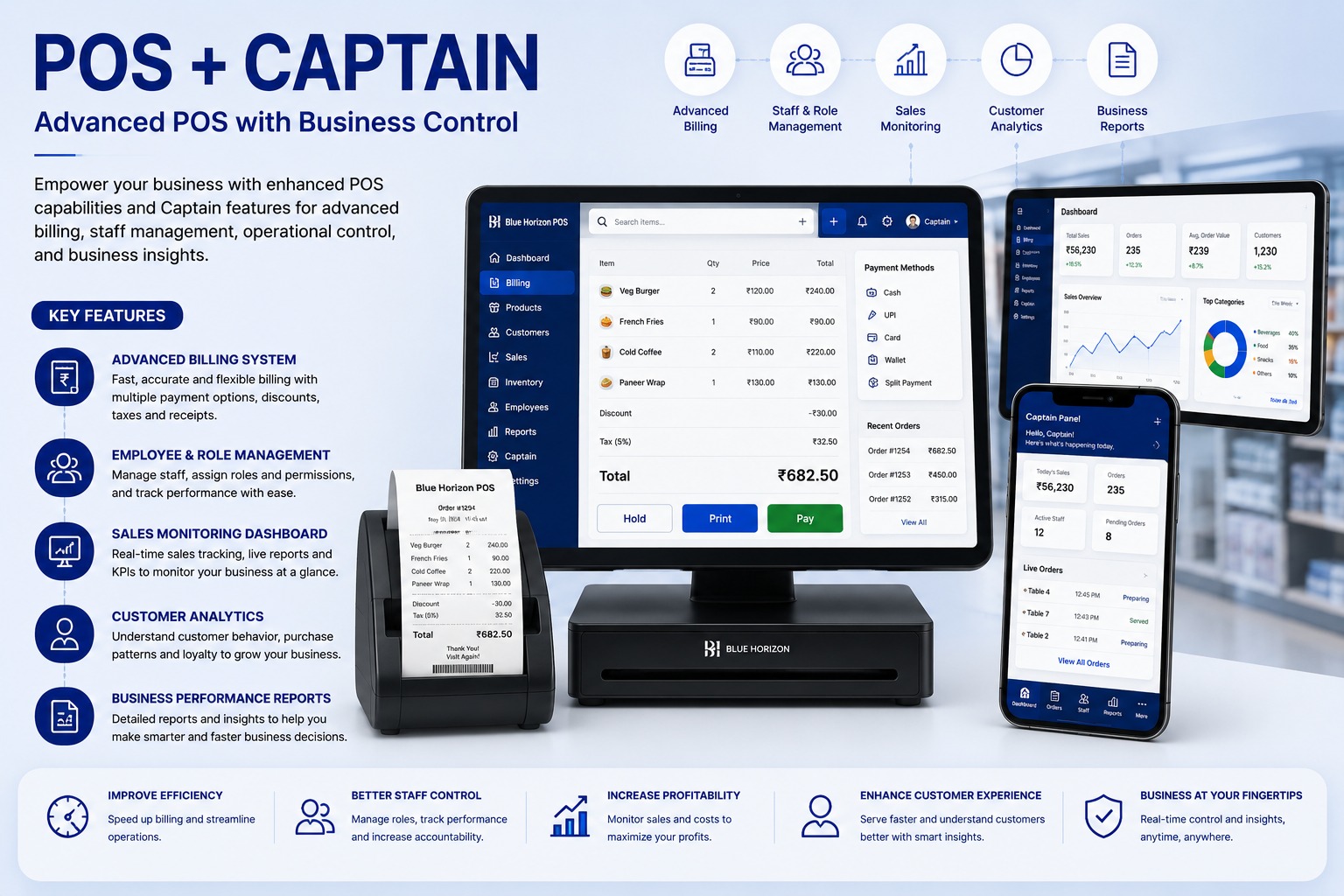
Restaurants need fast billing, table-wise order control, kitchen coordination, and staff accountability. A POS and captain system connects floor orders with billing and reporting.
Captain Panel For Live Orders
Captains can take orders from tables, add quantities, include special instructions, and send orders to billing or kitchen workflows. This reduces handwritten mistakes and improves service speed.
Billing And Staff Controls
Cashiers can manage dine-in, takeaway, delivery, split payments, discounts, taxes, receipt printing, and held bills. Role permissions help control cancellations, discounts, and reports.
Restaurant Control Features
- Table-wise and captain-wise orders
- Fast billing with payment modes
- Role-based discount and cancellation control
- Customer purchase history
- Sales, item, and employee reports
Real-Time Sales Visibility
Managers can monitor daily revenue, active orders, top-selling items, payment collections, captain performance, cancelled bills, and discounts from one dashboard.
Explore the POS + Captain System
Accelerate restaurant orders, table management, instant KOT dispatch, billing, and kitchen coordination.
POS + Captain System FAQs: Features, Workflows & Best Practices
Comprehensive answers to frequently asked technical, operational, and implementation questions about pos + captain system in India.
What is a POS + Captain System and how does it elevate restaurant operational efficiency?
A POS + Captain System combines a centralized restaurant billing counter with mobile order-taking applications for table captains and waitstaff. Captains take food orders tableside on handheld devices, instantly dispatching digital Kitchen Order Tickets (KOT) directly to the kitchen.
How does the digital captain ordering app eliminate order delays and communication mistakes?
Instead of handwriting paper slips and walking to the kitchen, captains enter orders tableside with specific cooking preferences. KOTs print instantly on kitchen thermal printers or display on Kitchen Display Screens (KDS), speeding up preparation.
Can the restaurant POS manage table layouts, reservations, table merging, and bill splitting?
Yes. The software features an interactive visual floor plan showing real-time table statuses (Vacant, Seated, Order Placed, Billed). It supports table reservation booking, table merging for large groups, and bill splitting by seat or item.
Which payment modes are supported at the checkout billing counter?
The POS supports fast multi-tender settlements including Dynamic UPI QR codes (GPay, PhonePe, Paytm), credit/debit cards, cash, dining gift cards, loyalty points, and corporate billing accounts.
How does the system prevent unauthorized billing discounts, item cancellations, and revenue pilferage?
Every KOT cancellation, item modification, complimentary food punch, or bill discount requires manager authorization with a mandatory reason code. Comprehensive audit logs track all voided transactions.
Can waitstaff add custom food modifiers, preparation notes, and spice level instructions?
Yes. Waitstaff can easily select pre-set item modifiers (e.g., "Less Spicy", "No Onion/Garlic", "Extra Cheese", "Gluten Free") or type custom kitchen instructions that print highlighted directly on the chef's KOT.
Does the POS support statutory restaurant GST compliance and thermal receipt printing?
Yes. The system automatically computes CGST, SGST, service charges, and cess in accordance with statutory tax rules and prints clean tax invoices on standard 2-inch and 3-inch ESC/POS thermal printers.
Can restaurant owners and managers track live sales, covers, and inventory consumption remotely?
Yes. Owners can log into a cloud manager dashboard from any browser or smartphone to view live sales numbers, table turnaround times, category-wise revenue, and daily payment settlement reports in real time.
Does the captain ordering and billing system continue to function if internet connectivity goes down?
Yes. The POS and captain network can operate smoothly on an internal local area network (LAN/Wi-Fi), ensuring that order punching, KOT printing, and customer billing continue uninterrupted during internet outages.
Is this POS and captain solution customizable for cafes, fine-dining restaurants, QSRs, and restrobars?
Yes. The software easily adapts its interface and workflows for diverse food service formats, including fine dining table service, quick-service counters (QSR), casual cafes, restrobars with liquor inventory, and cloud delivery kitchens.
Have more questions about implementing POS + Captain System for your organization?
Explore Official POS + Captain System Page -> Speak With Our Solution Experts