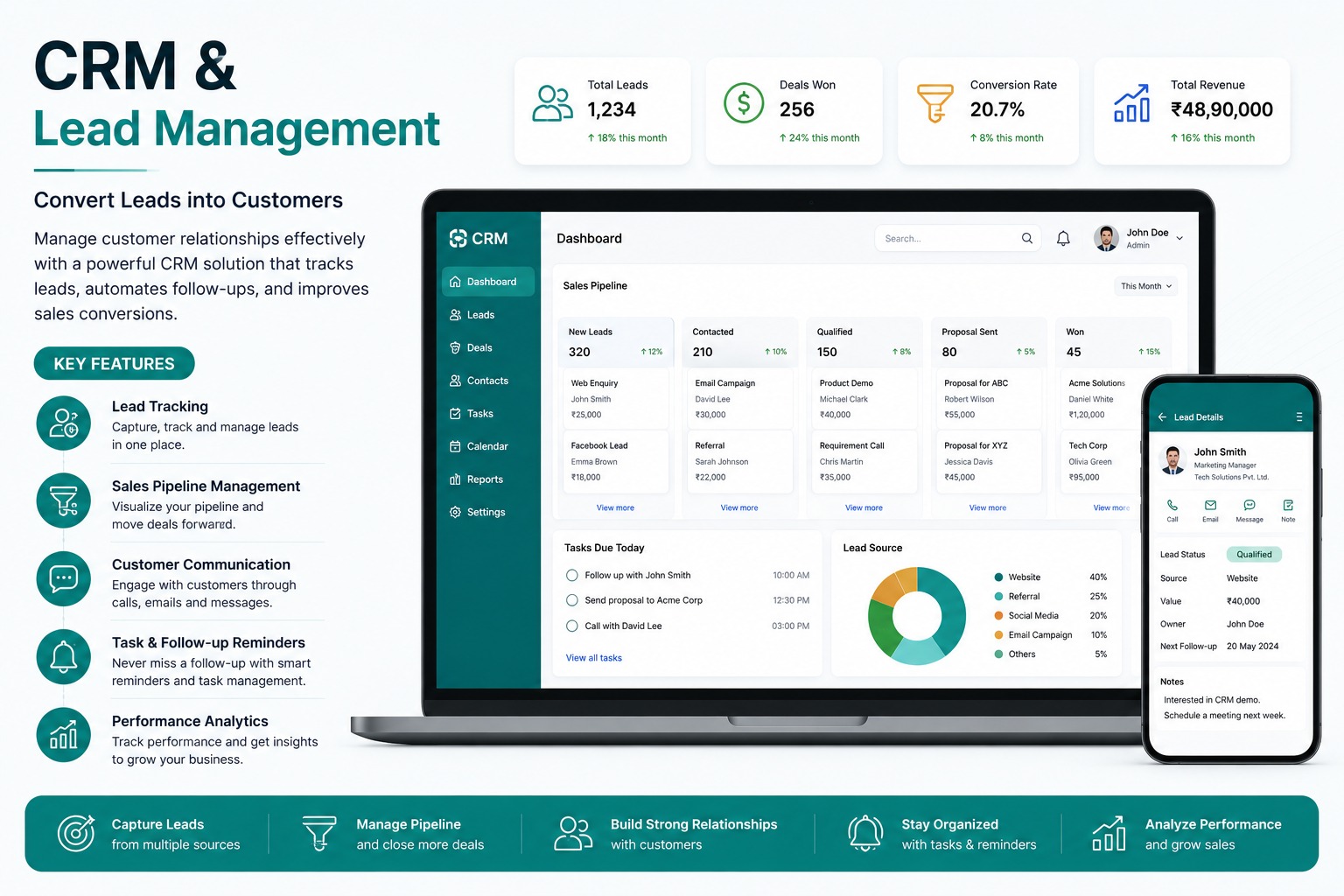
Sales teams lose opportunities when leads are scattered across phone calls, WhatsApp, spreadsheets, websites, and personal notebooks. A CRM and lead management system brings every enquiry and follow-up into a structured pipeline.
Lead Capture And Assignment
Leads can be captured from website forms, campaigns, calls, walk-ins, referrals, and manual entries. They can be assigned automatically or manually based on team, branch, product, or workload.
Follow-Ups And Pipeline Tracking
Every lead can move through stages such as new, contacted, qualified, demo scheduled, proposal sent, negotiation, won, or lost. Follow-up reminders reduce missed calls and delayed responses.
Sales Management Benefits
- One lead database for the complete team
- Customer communication history
- Task and follow-up reminders
- Pipeline and revenue forecasting
- Employee-wise performance reports
Better Conversion Visibility
Managers can identify stuck deals, inactive leads, best lead sources, delayed follow-ups, and salespeople who need support. This improves accountability and conversion planning.
Explore the CRM & Lead Management System
Capture leads, automate distribution, track pipelines, and increase conversion rates with structured sales workflows.
CRM & Lead Management System FAQs: Features, Workflows & Best Practices
Comprehensive answers to frequently asked technical, operational, and implementation questions about crm & lead management system in India.
What is a CRM and Lead Management System and why is it vital for modern sales teams?
A CRM and Lead Management System is a centralized software platform that captures customer inquiries across digital channels, organizes them into qualified stages, automates sales team assignments, tracks follow-up activities, and provides analytics to maximize deal conversion rates.
How does the CRM automatically capture leads from websites, WhatsApp, Meta ads, and portals?
The system integrates via webhooks and APIs to automatically ingest incoming leads from your company website, landing pages, Meta/Google advertising campaigns, WhatsApp Business API, incoming phone calls, and third-party aggregator portals without manual data entry.
Can the CRM automatically distribute leads to sales executives based on custom rules?
Yes. You can configure automated distribution rules such as Round-Robin, geography/location-based assignment, product category specialization, language preference, or sales executive current workload capacity.
How does the visual sales pipeline view help sales managers monitor deal progress?
The visual Kanban sales pipeline displays leads across sequential stages—such as New, Contacted, Qualified, Proposal Sent, Under Negotiation, and Closed Won. Sales managers can identify bottlenecks and forecast revenue at a glance.
Does the CRM track scheduled follow-up reminders and complete communication logs?
Yes. Sales reps receive automated follow-up notifications. Every phone interaction, email, WhatsApp message, and meeting note is logged chronologically within the customer timeline to preserve complete deal context.
How does the CRM prevent duplicate inquiries and eliminate missed sales follow-ups?
The system uses intelligent duplicate detection based on phone number and email address, merging duplicate inquiries automatically. If a lead remains untouched for a configured duration, automated escalation alerts are sent to managers.
Can managers evaluate individual sales executive performance and conversion ratios?
Yes. The system delivers comprehensive performance dashboards showing calls made, meetings scheduled, pipeline velocity, average response times, quotation values, win/loss ratios, and revenue contributed by each sales executive.
Can this CRM software integrate with WhatsApp Business, email servers, and VoIP dialers?
Yes. It supports integrations with WhatsApp Business API for instant template messaging, cloud telephony dialers for one-click calling with call recording, and SMTP/IMAP email services for seamless communication.
How straightforward is it to import existing customer databases from Excel into the CRM?
You can upload thousands of historical leads and customer contacts in minutes using the built-in CSV/Excel import tool, which includes automatic column mapping, duplicate screening, and tag assignment.
What role-based security permissions protect sensitive client databases from export or theft?
The CRM enforces strict role-based access control (RBAC). Administrators can restrict contact number visibility, disable bulk contact export permissions, and restrict access based on IP or employee role.
Have more questions about implementing CRM & Lead Management System for your organization?
Explore Official CRM & Lead Management System Page -> Speak With Our Solution Experts