
SAP Report Generation
Automate SAP report extraction, formatting, validation, scheduling, and distribution for finance and operations teams.
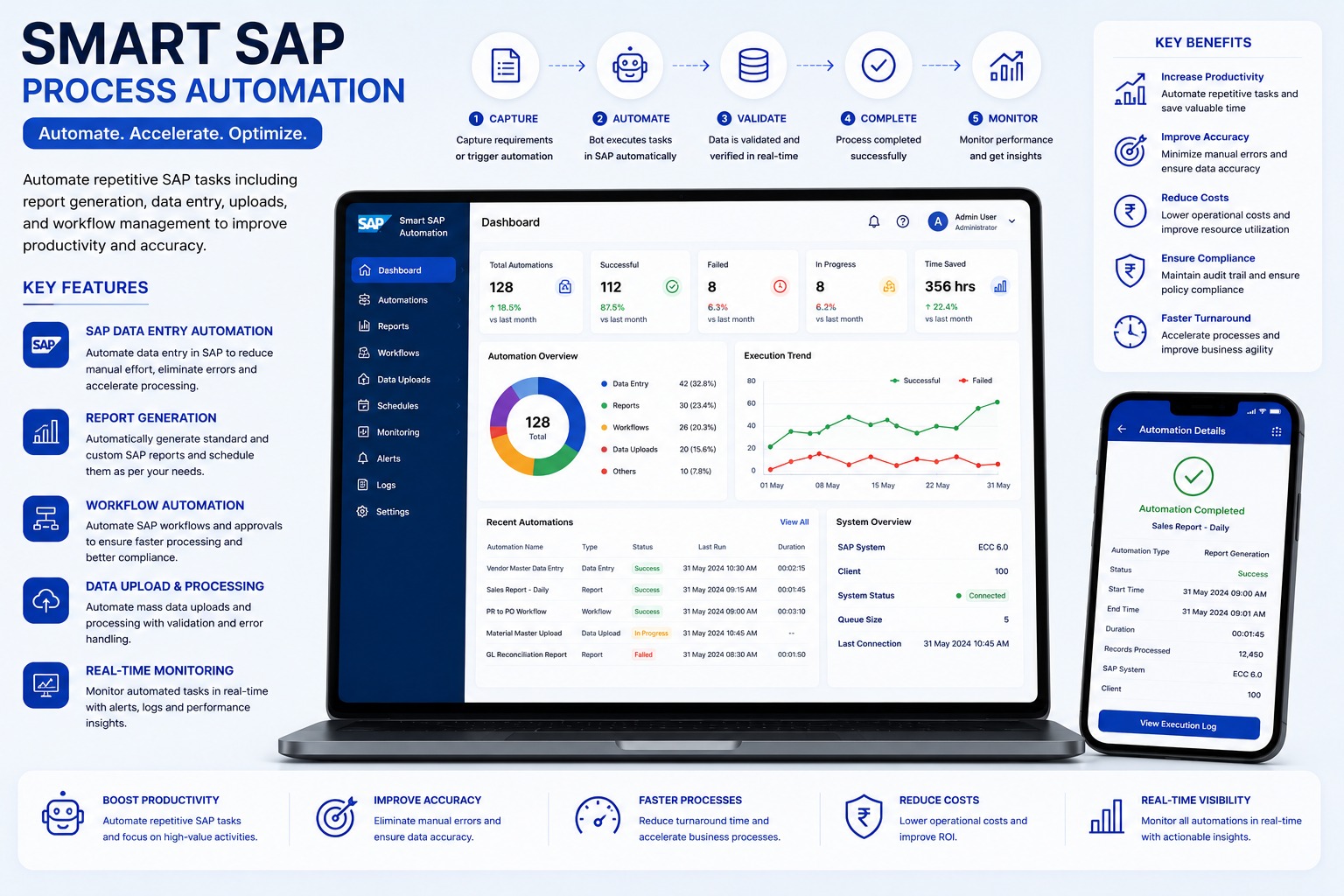
Core Robot Capabilities
Eliminates mundane keystrokes, data validation mismatches, and delayed exports.
Automated SAP transaction execution
Executes via scheduled background daemon or trigger-based queues with exception handling and email alerts.
Scheduled daily, weekly, and monthly reports
Executes via scheduled background daemon or trigger-based queues with exception handling and email alerts.
Custom filters and variants
Executes via scheduled background daemon or trigger-based queues with exception handling and email alerts.
Excel and PDF output
Executes via scheduled background daemon or trigger-based queues with exception handling and email alerts.
Email or shared-folder distribution
Executes via scheduled background daemon or trigger-based queues with exception handling and email alerts.
Validation and execution logs
Executes via scheduled background daemon or trigger-based queues with exception handling and email alerts.
Systems, ERPs & Portals Connected
This automation bot connects seamlessly with the following target software environments:
Technical & Implementation Q&A (20 Answers)
Learn how this bot operates without breaking security, how errors are routed, and timeline for production deployment.
What is SAP Report Generation Automation and how does it save enterprise reporting hours?▾
SAP Report Generation Automation is an RPA and workflow automation solution that automatically logs into SAP systems (ECC or S/4HANA), executes scheduled transaction codes (T-codes) or custom ABAP reports, applies parameterized filters, exports data, formats Excel dashboards, and delivers reports to stakeholders without manual effort.
Which standard and custom SAP T-codes and modules (FI, CO, MM, SD, PP) can be automated?▾
Virtually any SAP reporting T-code can be automated—including Financial accounting (FBL1N, FBL3N, FBL5N, FS10N), Material Management (MB52, MB5B, ME2N), Sales and Distribution (VA05, VF05), Controlling (KOB1), and custom Z-reports.
Can the SAP automation run in background mode without requiring user manual login?▾
Yes. The automated workflow executes on an unattended schedule (daily, weekly, month-end, or ad-hoc trigger) using encrypted SAP service credentials, eliminating the need for finance or MIS executives to log in early in the morning.
Can the automated report run dynamically across multiple company codes, plants, and profit centers?▾
Yes. The automation uses dynamic configuration files to run loop iterations across multiple company codes, business plants, storage locations, or profit centers, generating branch-specific or consolidated master reports.
How are extracted SAP datasets formatted and distributed to corporate decision makers?▾
Raw SAP table extracts are automatically parsed, cleaned, formatted into corporate-branded Excel workbooks with pivot tables and charts, converted to password-protected PDFs if needed, and distributed via scheduled emails or uploaded to secure cloud drives (SharePoint, OneDrive).
Does SAP report automation modify core ERP database tables or compromise system performance?▾
No. The automation only performs read-only data extraction using standard SAP GUI scripting, RFCs, or read-only BAPIs, strictly adhering to SAP authorizations without creating database locking or performance degradation.
How does the automated workflow handle SAP network timeouts, system popups, and maintenance windows?▾
The bot includes robust exception handling and auto-retry algorithms. If an unexpected SAP modal dialog, GUI warning, network interruption, or locked session is encountered, the bot logs the incident, captures diagnostic screenshots, and notifies administrators.
Can the automation consolidate and cross-reference data from multiple SAP T-codes into one report?▾
Yes. The automation can sequentially run multiple interrelated T-codes (e.g., pulling open purchase orders from ME2N and matching them with open vendor line items from FBL1N), performing automated VLOOKUPs and reconciliation before publishing.
How does automated SAP reporting ensure enterprise data security, user audit trails, and compliance?▾
All automated runs execute under encrypted credential management (such as Windows Credential Locker or CyberArk). Complete execution logs, report timestamps, record counts, and delivery confirmations are recorded for internal audit compliance.
What is the typical deployment timeline and operational ROI of automating daily SAP MIS reports?▾
Standard SAP report automation workflows can be configured, tested, and deployed in production within 1 to 2 weeks, typically saving 2 to 4 hours per day per department and eliminating human copy-paste errors.
What happens if SAP is slow or temporarily unavailable during report generation?▾
The workflow can wait, retry, or mark the run as failed based on configured rules. A failure log can be created so the support team knows the exact stage where the issue occurred.
Can the system notify users if a scheduled report fails?▾
Yes. Failure notifications can be sent through email, dashboard alerts, or other configured channels with details such as report name, time, error reason, and next action required.
Can multiple SAP reports be generated in one automation run?▾
Yes. A single workflow can generate multiple reports one after another, apply different filters, export separate files, and distribute them according to configured rules.
Can report data be cleaned or formatted after export?▾
Yes. The automation can remove unnecessary rows, format columns, rename headers, apply formulas, split sheets, merge files, and prepare the report in the required business format.
Can SAP reports be combined with data from Excel or other systems?▾
Yes. Exported SAP data can be combined with approved Excel files, databases, APIs, or other business systems to prepare consolidated MIS or management reports.
Can the system maintain a history of generated reports?▾
Yes. The system can maintain report history with report name, run date, run time, filters used, output location, status, user or bot details, and error information where applicable.
Can access to generated SAP reports be controlled?▾
Yes. Report access can be controlled through folder permissions, email recipient rules, application roles, approval rules, or organization-level security policies.
Can the automation help reduce dependency on one SAP reporting user?▾
Yes. Repetitive report steps, filters, export rules, and distribution rules are converted into a standardized workflow, reducing dependency on one employee’s availability or memory.
Will users still be able to review reports before they are sent?▾
Yes. The workflow can be configured for automatic distribution or manual review before sending. Approval or review steps can be added for sensitive reports.
How does SAP Report Generation Automation improve reporting performance?▾
It reduces manual effort, missed deadlines, report preparation time, formatting errors, and follow-up work. Teams receive consistent reports on time, and management gets faster visibility into business performance.
Read the Complete Bot Engineering Story
Learn how this automation was conceived, the edge cases handled, and the audited efficiency gains.
Connect With Our Engineering Desk
Speak directly with our automation consultants about robotic process automation, ERP rollout feasibility, or custom Flutter platforms.
Direct Call & WhatsApp
+91 87226 29900Cloud & Google Desk
+91 83905 00190Direct Official Email
customerdelight@bhar.co.inBlue Horizon Automation Research Pvt. Ltd. (BHAR India)
Office No. 26/27, 3rd Floor, Matru Chhaya Apartment,
Opp. Kapeesh Mall, MG Road, Mulund West,
Mumbai, Maharashtra – 400080
Send a Direct Enquiry
Inquiries are logged directly into Firestore and delivered to our senior engineering desk.